What Is a CAPTCHA Solver? How It Works and When to Use One

Senior Cybersecurity Analyst
TL;DR:
- A CAPTCHA solver is a service or component that attempts to complete a challenge designed to distinguish people from automated clients. It may use image recognition, audio transcription, token handling, behavioral signals, or human review.
- Solving is only one part of the flow. A client must detect the challenge, submit the right input, return the result to the original page, and preserve the same session.
- Modern challenges may be invisible or score-based. A page can assess interaction and return a risk score instead of displaying an image grid.
- Solver results are not guaranteed. Challenge type, context, expiration, accessibility mode, and session consistency affect whether a returned answer is accepted.
- The safest operational goal is to reduce unnecessary challenges. Coherent browser fingerprints, regional network routing, normal navigation, and stable sessions can lower avoidable friction on authorized workflows.
- CAPTCHA solving has legal, contractual, privacy, and accessibility implications. Use it only for permitted public-data or testing work and never to enter private areas or override an authorization decision.
What Is a CAPTCHA Solver?
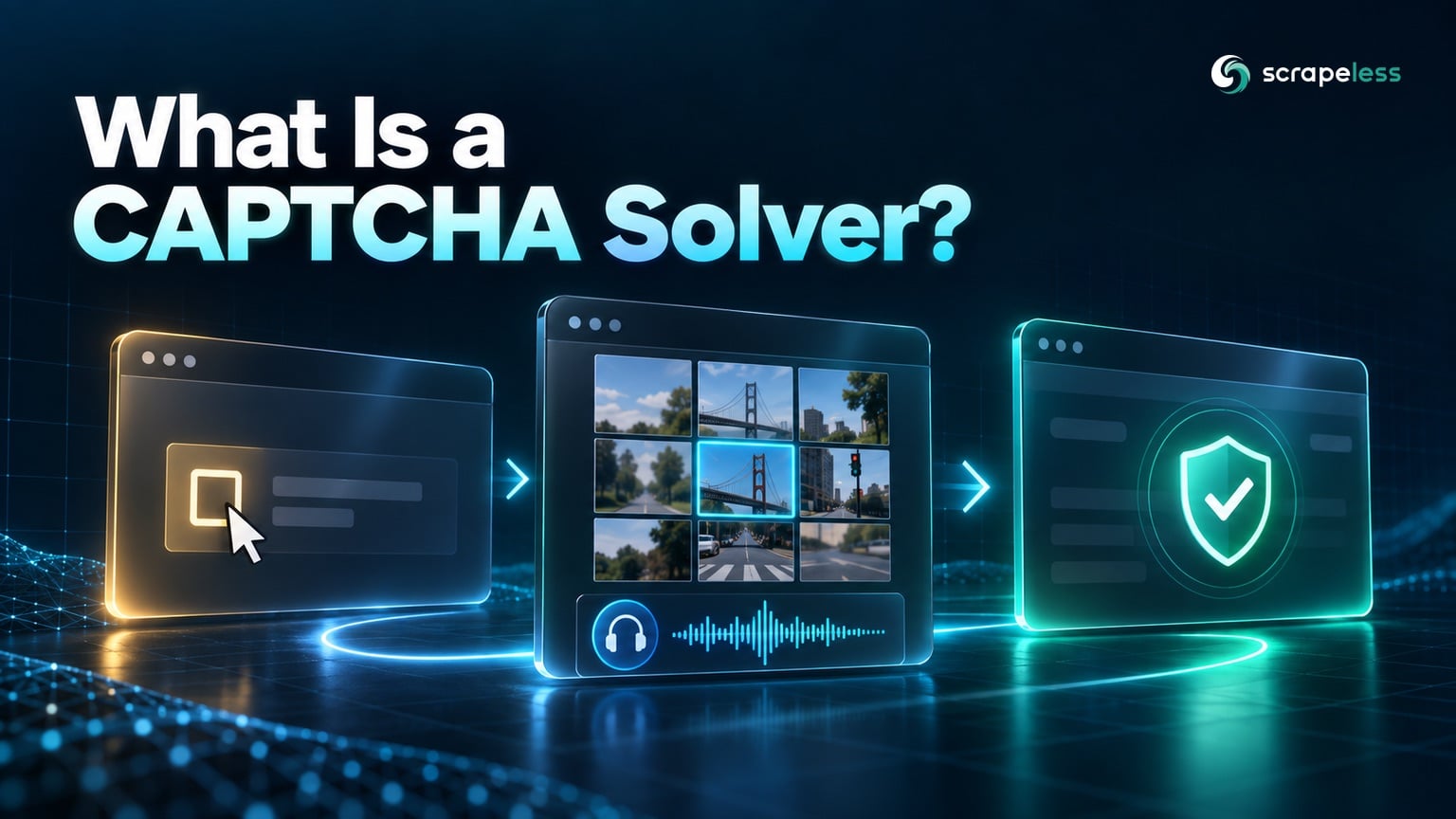
A CAPTCHA solver is software or a service that receives a CAPTCHA challenge and attempts to produce the response expected by the protected page. CAPTCHA stands for “Completely Automated Public Turing test to tell Computers and Humans Apart.” The name covers visible puzzles, audio challenges, text recognition, checkbox flows, and newer risk-scoring systems.
The W3C CAPTCHA accessibility introduction explains why tests based on a single sensory ability can block people with disabilities. That concern applies to both site owners and automation designers: the challenge is part of an access-control and accessibility system, not an isolated image-recognition task.
How Does a CAPTCHA Solver Work?
A typical solver workflow has six parts:
- Detection. The browser or client identifies that the expected page has been replaced or blocked by a challenge.
- Classification. It determines the challenge family, such as image selection, distorted text, audio, checkbox, or score-based assessment.
- Context capture. It gathers the site key, page URL, challenge payload, or media required by the solver.
- Resolution. A model, specialized algorithm, or human operator attempts the task.
- Response injection. The client returns a text answer, selected coordinates, or verification token to the original page.
- Validation. The protected page accepts or rejects the response within the same browser and session context.
The last two steps are easy to underestimate. A correct-looking answer may fail if it belongs to another hostname, has expired, or is submitted from a different session. For score-based systems, there may be no puzzle answer at all. The reCAPTCHA v3 documentation describes a model that returns a score and requires server-side token verification.
The Main Types of CAPTCHA Solvers
OCR-based text solvers
Optical character recognition models attempt to read distorted letters or digits. They work only when the challenge exposes text and the distortion remains within the model's learned range. Many modern systems add clutter, variable fonts, or contextual checks that make plain OCR insufficient.
Image-classification solvers
These systems classify tiles or objects in an image challenge. Some return tile indexes; others return coordinates. The page may refresh part of the grid after a selection, so a solver also needs a way to preserve and update challenge state.
Audio solvers
Audio solvers transcribe spoken digits or words from an accessibility alternative. Background noise, overlapping speakers, language, and rate changes affect performance. Treating the audio path as an automation shortcut can also degrade an accessibility channel intended for users who cannot complete a visual task.
Token-based integrations
Some solver services accept a site key and page context, then return a token for the browser to submit. The token is usually tied to a limited context and lifetime. The original client still needs to keep the correct page and session alive.
Human-assisted solvers
Human-assisted services send the challenge to a person and return the answer. They can handle unfamiliar visual tasks, but introduce latency and serious privacy questions if challenge images contain user or page context. Teams must understand what data leaves the browser and where it is processed.
Risk-score and behavior systems
Invisible systems may analyze browser state, network reputation, interaction, and server-side history instead of presenting a discrete puzzle. A conventional image solver cannot answer a risk score. The client must maintain a legitimate, coherent session and the site decides whether further verification is required.
Start Scraping with Scrapeless
Power up your web scraping and automation workflow with Scrapeless!
Sign up today and get $5 in free credit — no credit card required.Claim your free credit now in the Scrapeless Dashboard.
CAPTCHA Solver vs CAPTCHA Avoidance
| Approach | What it does | Best fit | Main limitation |
|---|---|---|---|
| Solver | Attempts the presented challenge | Authorized workflows where a challenge is expected and permitted | The answer can expire or be rejected |
| Session consistency | Keeps browser, cookies, locale, and network context aligned | Multi-step browsing and legitimate continuity | It cannot override a site's access decision |
| Traffic shaping | Keeps request volume and navigation proportionate | Reducing self-inflicted challenge rates | It does not guarantee a challenge-free session |
| Official API | Uses a supported data interface | Data the site intentionally exposes | Coverage may differ from the web page |
| Manual review | Lets an authorized operator complete or investigate the flow | Low-volume exceptions and testing | It does not scale automatically |
Avoidance here means preventing accidental challenge triggers through sound browser operations, not concealing abusive behavior. If a site denies access, changing solver providers does not create authorization.
When Does a CAPTCHA Solver Make Sense?
A solver can be appropriate in a controlled test of a site you own, an accessibility evaluation, or an authorized public-data workflow where the site presents an expected challenge and the governing terms permit automated resolution. The task should have a defined owner, scope, and data boundary.
It is usually the wrong tool when:
- an official API provides the required data;
- the workflow enters private, account-only, or restricted areas without explicit permission;
- the challenge is a direct signal that the collection rate or behavior is inappropriate;
- personal information would be sent to an external solver without a lawful basis and reviewed controls;
- an invisible risk system is making a server-side decision rather than asking a puzzle question.
Why CAPTCHA Solvers Fail
Failure can occur at several layers:
- Wrong classification. The integration treats a score-based check as an image task or misidentifies the challenge family.
- Incomplete context. A required site key, action, hostname, or challenge payload is missing.
- Session mismatch. The response is submitted from a different browser, address, or cookie state.
- Expired response. The challenge or token is no longer valid when the page receives it.
- Dynamic challenge. The puzzle updates after a selection and the solver uses an earlier frame.
- Accessibility-path mismatch. The integration requests an audio mode but does not preserve the state that issued it.
- Page validation error. The automation sees a navigation event and assumes success without checking the expected protected content.
Validate the final page state, not only the solver response. A successful solver API call means the solver returned an answer; it does not prove the destination accepted it.
Privacy, Accessibility, and Security Risks
CAPTCHAs often sit near sign-in, checkout, account recovery, and form submission. Images, audio, page URLs, and site keys can reveal context to a third-party service. Human-assisted solving adds another data recipient. Minimize what is sent, avoid user content, and document the processor relationship before handling sensitive flows.
Accessibility is equally important. The W3C note on inaccessible CAPTCHA reviews how visual and cognitive tests can exclude users and discusses alternatives. The WCAG guidance on accessible authentication explains why authentication should not depend on a cognitive-function test unless an alternative or assistance mechanism is available.
For site owners, a risk-based control should provide accessible alternatives and a way to recover from false positives. For automation teams, the same principle means a challenge is a security decision to interpret, not an obstacle to defeat at any cost.
How Scrapeless Handles Challenge-Prone Browser Workflows
Scrapeless Scraping Browser operates browser execution, proxy routing, session state, and fingerprint controls together. This can reduce challenges caused by contradictory browser and network settings. It also supports managed handling for compatible challenge flows inside authorized browser jobs.
The objective is a coherent session. Region, language, timezone, browser properties, cookies, and navigation history should describe the same user context. The guide to customizing browser fingerprints explains the available browser settings, while the Scraping Browser introduction covers the managed runtime.
Use a solver only when the workflow is authorized and the challenge type is supported. If the expected page is replaced by a challenge, record that state and verify the content after resolution rather than treating any navigation as success.
How to Evaluate a CAPTCHA Solver
Ask these questions before adding a provider or built-in solver to a workflow:
- Which challenge families and accessibility modes does it support?
- What page context, images, audio, or identifiers leave the browser?
- Is the returned response bound to a hostname, action, address, or browser session?
- How does the integration expose expiration and rejection?
- Can the application verify the destination page after submission?
- Do the target's terms and the project's authorization permit automated resolution?
- Is an official API or manual process a better fit?
Measure end-to-end acceptance on an authorized test surface. A raw recognition score or solver-side completion rate omits session and destination validation.
Conclusion: treat solving as one step in an access flow
A CAPTCHA solver classifies and attempts a challenge, but the browser must still preserve context and confirm that the destination accepted the response. Modern systems may use scores and behavior instead of a visible puzzle, so image recognition is not a universal answer.
Start by reducing unnecessary challenge triggers through coherent sessions and proportionate traffic. When solving is permitted and necessary, keep its scope explicit, protect challenge data, and validate the final page.
Ready to Build More Consistent Browser Sessions?
Explore Scraping Browser, compare Scrapeless pricing, or join the Scrapeless Discord community and Telegram community.
FAQ
Q: What is a CAPTCHA solver in simple terms?
It is software or a service that attempts to produce the answer or token expected by a CAPTCHA-protected page. The original browser must submit that result and confirm acceptance.
Q: Are CAPTCHA solvers accurate?
Accuracy varies by challenge family, image or audio quality, context, and session handling. A solver can return an answer that the destination rejects, so end-to-end validation is required.
Q: Can AI solve every CAPTCHA?
No. Challenges change, some depend on interaction or server-side risk scores, and responses can be tied to a specific session or action. Site owners also adjust controls as automated recognition improves.
Q: Is using a CAPTCHA solver legal?
Legality depends on authorization, purpose, target terms, data, and jurisdiction. Never use a solver to enter private or restricted areas without permission, and seek qualified legal advice for sensitive deployments.
Q: What is the difference between a CAPTCHA solver and an anti-detect browser?
A solver attempts a presented challenge. An anti-detect or fingerprint-managed browser changes or coordinates browser-visible properties. Neither grants permission, and neither guarantees that a site will allow the session.
Q: How can a workflow reduce CAPTCHA frequency?
Use a coherent browser and network region, preserve session state for related navigation, keep traffic proportionate, and prefer official APIs where available. These practices reduce avoidable inconsistencies but do not override site controls.
At Scrapeless, we only access publicly available data while strictly complying with applicable laws, regulations, and website privacy policies. The content in this blog is for demonstration purposes only and does not involve any illegal or infringing activities. We make no guarantees and disclaim all liability for the use of information from this blog or third-party links. Before engaging in any scraping activities, consult your legal advisor and review the target website's terms of service or obtain the necessary permissions.