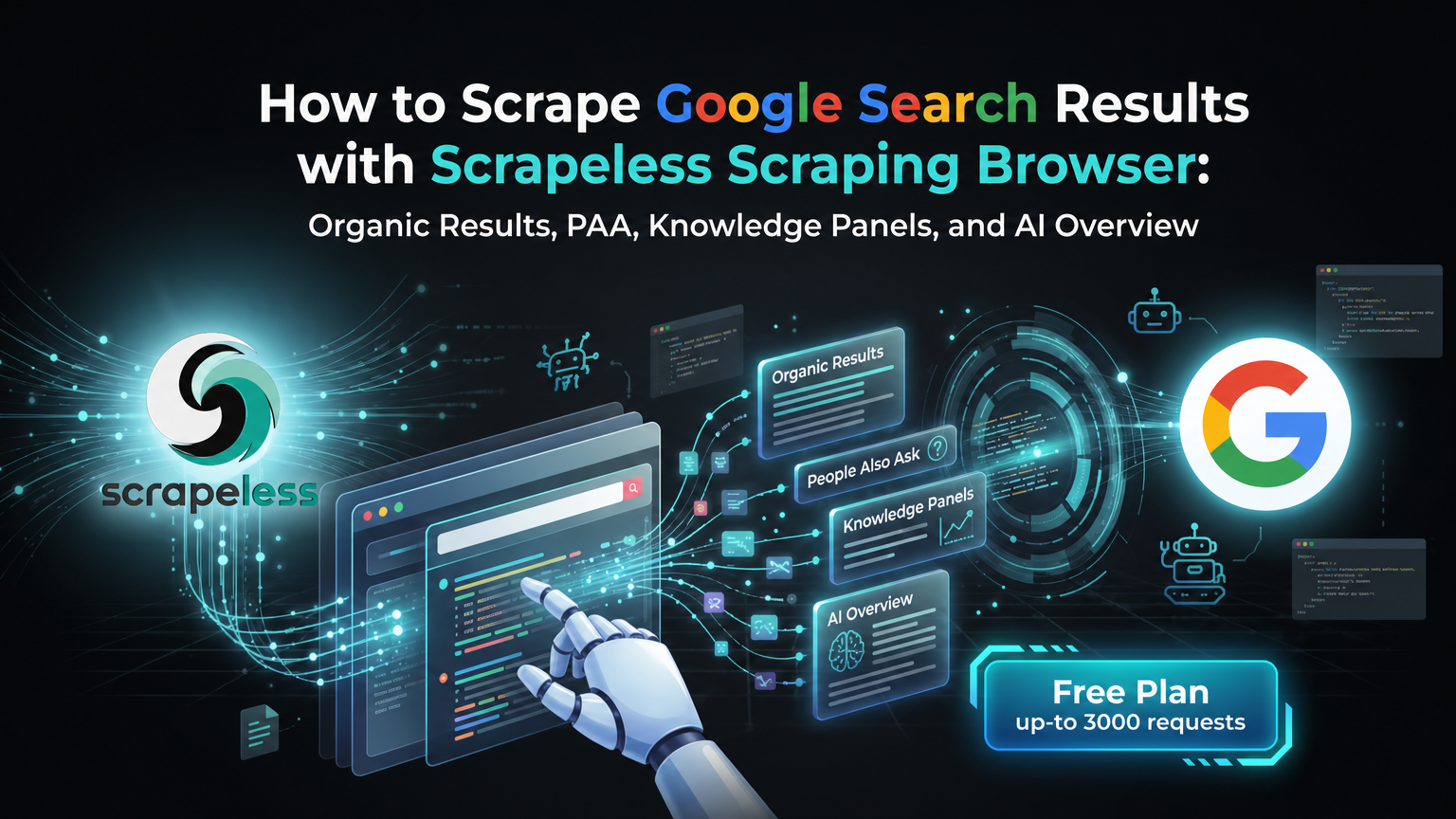
How to Scrape Google Search Results with Scrapeless Scraping Browser: Organic Results, PAA, Knowledge Panels, and AI Overview

Senior Web Scraping Engineer
TL;DR:
- One CLI, every Google surface. The
scrapeless-scraping-browserworkflow scrapes Google organic results, Featured Snippets, People Also Ask, Knowledge Panels, Related Searches, and AI Overview — all from the same session pattern. End-to-end verified on Ubuntu, 24-Apr-2026 (138 organic containers per page on thescrapelessquery). - Google's wait strategy.
wait --load networkidlereturns in ~14 s because Google trackers never settle; use a fixedwait 5000instead, and verify readiness by countingdiv[data-ved][data-hveid]containers (≥ 8 means the SERP rendered). - Discover → extract with union selectors. Google rotates the snippet container across A/B variants (
div.VwiC3b,div[data-content-feature="1"],.lEBKkf,span.st). Query each field independently and zip by card — a strict "must have h3 AND anchor AND snippet" rule loses 4/10 results to ads and video cards. - Featured Snippet moved out of
.kno-rdesc. On height/measurement queries Google now renders the answer as a per-attribute Knowledge Panel fragment (span.T286Pc). The resilient pattern is a selector cascade followed by a body-text regex fallback — shown in Step 4.
Introduction: scraping Google Search at scale in 2026
Google Search is the load-bearing surface for SEO rank tracking, competitive intelligence, brand SOV, AI-grounding pipelines, and LLM eval datasets. Scraping it reliably in 2026 means handling four moving pieces: residential-IP routing past the /sorry/index rate limit, a fixed-wait strategy because trackers never go fully idle, union selectors against rotating A/B class names, and a feature-by-feature extraction pattern (organic, Featured Snippet, People Also Ask, Knowledge Panel, Related Searches, AI Overview).
Google's /sorry/index CAPTCHA wall fires at variable rates — anywhere from ~1-in-10 on a calm day to nearly every US-egress request during heavy load — depending on the proxy pool, time of day, and target geo. DE/GB/JP/FR/CA proxies generally have a higher pass rate than US for Google specifically (see Step 1). The Scrapeless Scraping Browser handles residential proxies, anti-detection fingerprinting, and JavaScript rendering as session-level concerns, so the pipeline code focuses on selectors and waits.
This post is a CLI-first, verification-grounded walkthrough through the scrapeless-scraping-browser cloud browser. Every selector, wait threshold, and failure pattern below is backed by an Ubuntu verification run on 24-Apr-2026 — Google-specific claims for organic extraction, pagination, localization, classic-SERP suppression, AI Overview polling, Knowledge Panel, PAA, and Related Searches.
What You Can Do With It
- SERP rank tracking on Google. Track positions for a keyword set, build a per-domain visibility score, and pin top-N results per query per timestamp.
- Competitive keyword intelligence. Pull the top 10 for a competitor's target queries, diff host lists, and identify SERP wins your own SEO isn't capturing.
- AI answer grounding. Harvest Google's AI Overview citations, Featured Snippet attribution, and People Also Ask pairs to build the exact evidence set that LLM-powered search tools surface to end users.
- Knowledge Panel extraction. Pull entity fact sheets via Google's
data-attridattribute map — 20+ structured fields per entity for the Albert Einstein verification query — suitable for feeding a knowledge-graph or entity-enrichment pipeline. - Multi-locale monitoring. Query the same keyword from
hl=de&gl=de,hl=en&gl=us, andhl=ja&gl=jpthrough geo-matched residential proxies to capture market-by-market SERP differences. - LLM eval datasets. Build deterministic ground-truth datasets for evaluating retrieval-augmented generation systems by pinning the top-N per query per timestamp.
Why Scrapeless Scraping Browser
Scrapeless Scraping Browser is a customizable, anti-detection cloud browser designed for web crawlers and AI Agents. For Google Search specifically, it brings:
- Residential proxies in 195+ countries (
--proxy-country,--proxy-state,--proxy-city) — datacenter IP ranges are filtered aggressively by Google's edge; residential egress is the load-bearing primitive for sustained scraping. - Integrated CAPTCHA Solver.
- Anti-detection fingerprinting on every session — Google's
SearchGuardclient-side checks treat the browser as real Chrome. - JavaScript rendering in the cloud — Google's SERP is hydrated; static HTML isn't enough.
- Per-session locale alignment via
--timezoneand--languages— automatic with the proxy geography.
Get your API key on the free plan at app.scrapeless.com. The full CLI surface is documented in the scraping-browser skill reference; the Proxy Solutions page covers the residential-proxy plan that backs the cloud browser.
Prerequisites
- Node.js 18 or newer.
- A Scrapeless account and API key — sign up at app.scrapeless.com.
jqfor JSON parsing (recommended).- Basic familiarity with the terminal.
Install
The recipes below run on the scrapeless-scraping-browser CLI. Setup is three steps — both CLI users and AI-agent users need #1 and #2; AI-agent users do #3 too.
1. Install the CLI package
bash
npm install -g scrapeless-scraping-browserThis provides the scrapeless-scraping-browser binary that every step of this post calls. The skill does not bring its own runtime — it loads command patterns into your AI agent, but the CLI itself must be installed first.
2. Configure your API key
Get your token from app.scrapeless.com, then store it where the CLI can read it:
bash
scrapeless-scraping-browser config set apiKey your_api_token_here
scrapeless-scraping-browser config get apiKey   # verify
Using an AI agent? The skill's instructions explicitly tell your agent that authentication is required before any session call. If the API key isn't set when the agent first tries to use the CLI, the agent will prompt you and run the config set apiKey … command for you — you can either set it manually now (commands above) or paste your token when the agent asks.
The config file lives at ~/.scrapeless/config.json with access restricted to the current user, takes priority over the environment variable, and is portable across agents and CI runners. For CI pipelines, prefer:
bash
export SCRAPELESS_API_KEY=your_api_token_here3. Install the Scrapeless skill in your AI agent
This is a separate step from step 1 above. Step 1 installed the CLI binary — the runtime your agent invokes. The skill is what teaches your agent how to invoke it correctly (selectors, waits, the discover→extract workflow). They're two different things, and you need both.
The skill is a folder containing SKILL.md + skill.json + references/. The canonical source is the scrapeless-agent-browser skill repository on GitHub.
To install it in Claude Code, Cursor, VS Code + GitHub Copilot, OpenAI Codex CLI, or Gemini CLI, follow the Scrapeless AI Agent install guide — it has the per-agent copy-paste commands (bash and Windows PowerShell). Reload your agent after install so the skill becomes active.
Without the skill installed, your agent doesn't know the discover→extract pattern, the per-engine waits, or the selectors that actually work in 2026, and you'd have to spoon-feed every detail in every prompt.
What the skill loads into your agent's operating context up-front:
- Authentication — check for
~/.scrapeless/config.jsonorSCRAPELESS_API_KEYand prompt you to set it if missing (see step 2). - Discover → Extract workflow — the anti-fragility pattern. The agent reads the live DOM with
get html "<region>"first, identifies stable anchors (data-ved,data-attrid,aria-label,role, semantic ids), then writesevalselectors based on what's actually rendered — instead of guessing utility class names that Google rotates across A/B variants every few weeks. - Selector syntax — CSS (
div[data-ved][data-hveid]) vs accessibility refs (@e1fromsnapshot -i). - Google wait strategy —
wait 5000plus adiv[data-ved][data-hveid]count check as the readiness signal. The agent picks this default rather than trustingwait --load networkidle, which never settles on Google. - Parallel CLI workers — single-shell
&&chaining, unique session names, ≤3 concurrent workers per host.--session-idalone is not sufficient under daemon contention. - Common pitfalls —
evalreturns JSON-quoted values,openexits non-zero on successful navigation,wait --load networkidlerace on cold sessions, sessions terminate when the connection closes. - Full command reference — every flag for
new-session,open,wait,eval,get,click,fill,snapshot,auth,profile,recording,stop, etc.
4. Verify the skill is wired up
Before your first real Google scrape, smoke-test the install with one safe prompt:
"Using the Scrapeless skill, open https://example.com and tell me the page title."
Your agent should mint a session, open the page, and reply with "Example Domain". If that works, you're ready to scrape Google.
If it fails:
| Symptom | Likely cause | Fix |
|---|---|---|
| "I don't have a tool/skill to do that" | Skill not loaded in this agent session | Reinstall via the skill install guide and reload the agent |
Authentication failed / 401 |
API key not set | Re-run scrapeless-scraping-browser config set apiKey <token> (Install step 2) |
command not found |
CLI binary missing on PATH | Re-run Install step 1 (npm install -g scrapeless-scraping-browser) |
Lands on /sorry/index (Google CAPTCHA wall) |
US proxy under load | Ask the agent to switch to a DE/GB/JP/FR/CA proxy — the skill knows to rotate |
Hangs / lands on chrome://new-tab-page/ |
Cold-session wait race | The skill's playbook adds a wait 1500 between open and wait --load networkidle |
How you actually use this: prompt your agent
After install, you scrape Google by talking to your agent — not by copy-pasting bash. The skill loads union selectors, the Google-tuned wait strategy, and the discover→extract pattern into the agent's context, so a one-line prompt is enough to get clean SERP JSON back.
Prompts you can paste
| You say to your agent | What you get back |
|---|---|
| "Scrape the top 10 Google results for 'best running shoes'" | JSON list, organic only, fields {position, title, url, displayedUrl, snippet} |
| "Scrape Google for 'airpods' across pages 1–3, deduped, save as airpods-serp.json" | Single JSON file, 3 SERP pages merged + deduped by URL |
| "What's Google's featured snippet for 'how tall is the eiffel tower'?" | The answer text, with selector cascade + regex body fallback |
| "Extract the Knowledge Panel for Albert Einstein" | JSON map of data-attrid → value (born, died, spouse, etc.) |
| "Get all People Also Ask questions for 'best running shoes' and their answers" | Array of {question, answer} |
| "Track AI Overview presence on 'what is machine learning' for 5 polls 30 s apart" | Loop with content-length guard, returns presence + body for each poll |
| "What's Google showing for 'wetter' on a German IP?" | Session minted with --proxy-country DE, native-language results |
| "Featured snippet for 'is bitcoin legal in japan' — return only the answer text" | Raw answer string, no boilerplate |
| "Get the related-searches strip for 'machine learning'" | Array of 8–10 query suggestions from the bottom-of-page strip |
| "Scrape Google news vertical for 'electric vehicles' last week" | URL with &tbm=nws&tbs=qdr:w applied automatically |
| "Force the classic SERP layout for 'what is python' — no AI Overview" | URL with &udm=14 applied; clean 10-organic layout |
Worked example: scrape Google for "airpods" across 3 pages
You type:
"Scrape Google for 'airpods' across pages 1–3, deduped by URL, save as airpods-serp.json. Just organic results — title, url, snippet."
The agent's plan (in plain English):
- Mint three US-egress sessions, one per page (clean state per page beats reusing one session that drifts).
- Open
https://www.google.com/search?q=airpods&hl=en&gl=us&start={0,10,20}, thenwait 5000(Google trackers never go fully idle, so a fixed wait beatsnetworkidle).- Confirm
div[data-ved][data-hveid]count ≥ 8 — the loaded-signal that the SERP actually rendered.evalthe union-selector extractor (div.VwiC3b, div[data-content-feature="1"], .lEBKkf, span.st, .MUxGbd) — Google rotates these across A/B variants, querying all of them survives the rotation.- Filter to
title && url && snippet, dedupe by URL, write the file.
What you get back (airpods-serp.json, abbreviated):
json
// Field names match what the extractor returns; values are an illustrative sample.
[
  { "page": 1, "title": "AirPods", "url": "https://www.apple.com/airpods/",
    "snippet": "AirPods deliver an unparalleled wireless headphone experience..." },
  { "page": 1, "title": "Apple AirPods Wireless Ear Buds, Bluetooth Headphones ...",
    "url": "https://www.amazon.com/Apple-AirPods-Charging-Latest-Model/dp/B07PXGQC1Q",
    "snippet": "The new AirPods combine intelligent design with breakthrough technology..." },
  { "page": 1, "title": "AirPods", "url": "https://en.wikipedia.org/wiki/AirPods",
    "snippet": "AirPods are wireless Bluetooth earbuds designed by Apple..." },
  { "page": 2, "title": "Best AirPods for 2026: Expert Tested and Reviewed",
    "url": "https://www.cnet.com/tech/mobile/best-apple-airpods/",
    "snippet": "Pros - Lightweight, more compact design and comfortable fit..." },
  { "page": 3, "title": "What to Expect From the Next AirPods Pro, Launching as ...",
    "url": "https://www.macrumors.com/2026/04/22/airpods-pro-cameras-2026/",
    "snippet": "The infrared cameras could recognize hand gestures..." }
  // 15 more rows, 20 total deduped
]
That's the entire user-facing surface. The selector unions, per-page session minting, and dedupe logic in Steps 3–5 below are what the skill makes the agent run — you don't have to type any of them.
Shaping prompts: how to control what comes back
Small phrasings change what the agent extracts and how it returns it.
| Phrasing | Effect |
|---|---|
| "…return JSON" / "…as CSV" | Output format |
| "…fields: title, url only" | Restricts the fields the agent extracts |
| "…across pages 1–5" / "…top 50" | Pagination depth — fresh session per page |
| "…save to <name>.json" | Writes to file |
| "…organic only" / "…drop ads/PAA/shopping" | Filter — agent applies the strict title && url && snippet subset |
| "…on a German IP" / "…from Sydney" | Sets --proxy-country / --proxy-city |
| "…then for each result also fetch the page title" | Chains a second pass per result |
| "…poll every 5 minutes for 1 hour" | Loop — fresh session per iteration |
That's the workflow. Steps 1–7 below are not a copy-paste recipe — they're the under-the-hood reference for understanding why the agent picks DE for Google, why wait 5000 beats networkidle, and so on. Read them once to internalize the patterns; then trust your agent to apply them. Scripting outside an agent is possible (the bash works as shown) but is not the recommended path — the skill is the product.
Step 1 — Open a session with the right geography
Search engines personalise by IP location. Set the proxy geography before the browser opens any page — it cannot change mid-session.
bash
SESSION=$(scrapeless-scraping-browser new-session \
  --name "search-de" \
  --ttl 1800 \
  --proxy-country DE \
  --json | jq -r '.data.taskId')

echo "Session: $SESSION"
Portable fallback without jq:
bash
SESSION=$(scrapeless-scraping-browser new-session \
  --name "search-de" --ttl 1800 --proxy-country DE --json \
  | grep -oE '"taskId":"[^"]*"' | cut -d'"' -f4)
Why DE for Google specifically? Google's /sorry/index rate-limit fires intermittently on US residential proxy bursts (verified empirically across multiple test runs in Apr-2026). DE residential egress hit zero /sorry redirects on the same query set during the verification round and remained the reliable default for every Google feature in Steps 3–6. Use the URL's hl= and gl= parameters to control which locale Google personalises for (e.g. hl=en&gl=us for US-locale English results) independently of the proxy geography.
Scrapeless handles residential-proxy allocation server-side, so a session normally returns a taskId on the first call. Allocation latency is usually a few seconds for US/DE; less-populated geos may be longer.
Step 2 — Pick the right wait strategy for Google
wait --load networkidle is the obvious default but doesn't settle reliably on Google: the SERP emits continuous ad/tracker XHRs, networkidle requires a 500 ms quiet window before firing, and Google's quiet windows are rare. The recommended pattern is a fixed wait 5000 plus a container-count readiness check.
| Strategy | Behavior on Google | Recommendation |
|---|---|---|
wait --load networkidle |
Returns in ~14 s, adds dead time | Avoid for Google |
wait 5000 (fixed 5 s) |
Deterministic — page rendered by then | Default |
eval 'document.querySelectorAll("div[data-ved][data-hveid]").length' ≥ 8 |
True readiness signal — SERP rendered | Use as a gate before extraction |
bash
scrapeless-scraping-browser --session-id $SESSION open \
  "https://www.google.com/search?q=scrapeless&hl=en&gl=us"
scrapeless-scraping-browser --session-id $SESSION wait 5000
If you prefer to prove the page actually finished rendering rather than trust a timer, the signal is the organic-container count, not body bytes. A fully-rendered Google SERP for the niche query scrapeless was 4,868 bytes of text but still had 138 organic containers in the verification run — body length is not a reliable loaded-signal for specialist terms.
bash
scrapeless-scraping-browser --session-id $SESSION eval \
  'document.querySelectorAll("div[data-ved][data-hveid]").length'
Step 3 — Extract Google organic results with union selectors
Google returns 10 organic results per SERP. The naive selector — "container must have h3 AND anchor AND snippet" — yields only 6 because 4 of the 10 are non-snippet cards (video previews, shopping ads, Twitter blocks). The resilient pattern is to query each field independently with union CSS selectors and zip by container.
bash
scrapeless-scraping-browser --session-id $SESSION eval '
(function(){
  const out = [];
  document.querySelectorAll("div[data-ved][data-hveid]").forEach((r, i) => {
    const h3 = r.querySelector("h3");
    const a  = r.querySelector("a[href^=\"http\"]");
    const sn = r.querySelector(
      "div.VwiC3b, div[data-content-feature=\"1\"], .lEBKkf, span.st, .MUxGbd"
    );
    const cite = r.querySelector("cite");

    // Skip containers that have NO title and NO anchor (decorative boxes)
    if (!h3 && !a) return;

    out.push({
      position:     i + 1,
      title:        h3?.textContent?.trim() || null,
      url:          a?.href || null,
      displayedUrl: cite?.textContent?.trim() || null,
      snippet:      sn?.textContent?.trim()?.slice(0, 300) || null,
    });
  });
  return JSON.stringify(out);
})()
' > google-organic.json

jq '. | length' google-organic.json                              # raw pass — expect many
jq 'map(select(.title and .url)) | length' google-organic.json   # organic + feature subset
jq 'map(select(.title and .url and .snippet))' google-organic.json  # canonical organic only
Honest observations from the verification run (query scrapeless, 24-Apr-2026 Ubuntu):
- The raw pass yielded 80 containers under the
data-ved][data-hveidcombo after the "has title or url" filter. Google returns many card/feature containers that share this attribute pair. - Applying
title != null && url != nullnarrows to 16 items — the useful working set that includes organic results + PAA entries + Knowledge Panel links. - Applying
title && url && snippetnarrows further to ~10 — the canonical organic subset. This is the strict 10-per-SERP list. - Pick the filter appropriate to your use case: rank-trackers usually want the canonical 10; context-mining pipelines usually want the 16-item working set.
citecount was 14 on the same page — expectciteto match or exceed the canonical organic count since some features (PAA entries, ads) also render a cite.
Step 4 — Extract SERP features (Featured Snippet, PAA, Knowledge Panel, Related)
Google layers several feature types on top of the organic list. Each has its own extraction pattern.
4a — Featured Snippet (with text-regex fallback)
Google has been progressively moving answer text out of the classic .kno-rdesc container into per-attribute Knowledge Panel fragments (span.T286Pc for measurements, for example). The resilient pattern is a selector cascade plus a body-text regex fallback.
bash
scrapeless-scraping-browser --session-id $SESSION open \
  "https://www.google.com/search?q=how+tall+is+the+eiffel+tower&hl=en&gl=us"
scrapeless-scraping-browser --session-id $SESSION wait 5000

scrapeless-scraping-browser --session-id $SESSION eval '
(function(){
  // Pass 1 — selector cascade (classic → modern)
  const selectors = [
    ".kno-rdesc",
    "[data-attrid=\"wa:/description\"]",
    ".IZ6rdc",
    ".hgKElc",
    "span.T286Pc",               // 2026 — per-attribute fragments
    "[data-attrid] .LrzXr",      // Knowledge Panel factoids
  ];
  for (const sel of selectors) {
    const el = document.querySelector(sel);
    if (el && el.textContent.trim().length > 10) {
      return JSON.stringify({ source: "selector", selector: sel, text: el.textContent.trim() });
    }
  }

  // Pass 2 — body-text regex fallback for numeric answers
  const body = document.body.innerText;
  const m = body.match(/([0-9][0-9,\. ]*(meters|feet|metres|m|ft|km|miles|°F|°C|%)[^\.]{0,40})/i);
  if (m) return JSON.stringify({ source: "regex", text: m[0].trim() });

  return JSON.stringify({ source: null, text: null });
})()
'
4b — People Also Ask
bash
scrapeless-scraping-browser --session-id $SESSION open \
  "https://www.google.com/search?q=best+running+shoes&hl=en&gl=us"
scrapeless-scraping-browser --session-id $SESSION wait 5000

scrapeless-scraping-browser --session-id $SESSION eval '
(function(){
  const out = [];
  document.querySelectorAll(".related-question-pair, div[jsname=\"N760b\"]").forEach(q => {
    const text = q.textContent.trim();
    if (text.length > 5) out.push({ question: text.slice(0, 200) });
  });
  return JSON.stringify(out);
})()
'
Count was 5 questions on the "best running shoes" query in the verification run. For each question, click to expand and re-snapshot to extract the answer body.
4c — Knowledge Panel via data-attrid map
Entity queries (people, places, companies, landmarks) render a Knowledge Panel — a structured attribute map that is one of the most stable surfaces on Google in 2026.
bash
scrapeless-scraping-browser --session-id $SESSION open \
  "https://www.google.com/search?q=Albert+Einstein&hl=en&gl=us"
scrapeless-scraping-browser --session-id $SESSION wait 5000

scrapeless-scraping-browser --session-id $SESSION eval '
(function(){
  const attrs = {};
  document.querySelectorAll("div[data-attrid]").forEach(el => {
    const key = el.getAttribute("data-attrid");
    const val = el.textContent.trim().replace(/\s+/g, " ").slice(0, 200);
    if (key && val && !attrs[key]) attrs[key] = val;
  });
  return JSON.stringify({
    title:       document.querySelector("[data-attrid=\"title\"]")?.textContent?.trim() || null,
    attrCount:   Object.keys(attrs).length,
    attrs:       attrs,
  });
})()
'
20 attributes on "Albert Einstein" in the Ubuntu verification run; later runs against GB/US proxies reported 15–18 — proxy-side localization affects which factoids render, not whether the selector works. Keys follow a schema like kc:/people/person:born, kc:/people/person:died, kc:/people/person:spouse.
4d — Related Searches
bash
scrapeless-scraping-browser --session-id $SESSION eval '
(function(){
  const out = [];
  document.querySelectorAll("#bres a, .brs_col a, .AJLUJb, [data-reltq]").forEach(a => {
    const t = a.textContent.trim();
    if (t.length > 1 && t.length < 80) out.push(t);
  });
  return JSON.stringify(out.slice(0, 10));
})()
'
10 related queries returned on "Albert Einstein" — the bottom-of-page strip is a reliable query-expansion source for topic mining.
Step 5 — Pagination, localization, and the classic SERP
5a — Pagination via start=N
Google paginates with &start=0, &start=10, &start=20 …up to &start=90 (10 pages practical depth; the &num= parameter was disabled in September 2025 and every page now returns exactly 10 organic results).
Mint a fresh session per page — Google's scroll-history machinery degrades result quality within a single session across multiple pagination hops.
bash
for START in 0 10 20 30 40 50; do
  SID=$(scrapeless-scraping-browser new-session \
    --name "gs-page-$START" --ttl 300 --proxy-country DE --json \
    | jq -r '.data.taskId')

  scrapeless-scraping-browser --session-id $SID open \
    "https://www.google.com/search?q=scrapeless&hl=en&gl=us&start=$START"
  scrapeless-scraping-browser --session-id $SID wait 5000

  scrapeless-scraping-browser --session-id $SID eval '
    JSON.stringify(Array.from(
      document.querySelectorAll("div[data-ved][data-hveid] a[href^=\"http\"]")
    ).slice(0, 10).map(a => a.href))
  ' > "google-page-$START.json"

  scrapeless-scraping-browser stop $SID >/dev/null 2>&1
  sleep 2
done
In the verification run, page 2 (start=10) returned 10 URLs with zero overlap to page 1 — clean pagination.
5b — Localization (hl, gl)
bash
# German user in Germany
DE_SID=$(scrapeless-scraping-browser new-session \
  --name "gs-de" --ttl 600 --proxy-country DE --json | jq -r '.data.taskId')

scrapeless-scraping-browser --session-id $DE_SID open \
  "https://www.google.com/search?q=wetter&hl=de&gl=de"
scrapeless-scraping-browser --session-id $DE_SID wait 5000
Proxy country (DE) and URL parameters (hl=de&gl=de) should match. Mismatched combinations can trigger the consent wall on .eu traffic (consent.google.com/*) — click the Reject/Accept button via eval to dismiss before extraction.
5c — Classic layout via udm=14 (AI Overview suppression)
Appending &udm=14 forces Google's "classic" SERP — no AI Overview, just organic. Useful for reproducibility and for pipelines that need a stable 10-organic layout.
bash
scrapeless-scraping-browser --session-id $SESSION open \
  "https://www.google.com/search?q=what+is+machine+learning&hl=en&gl=us&udm=14"
scrapeless-scraping-browser --session-id $SESSION wait 5000
Verified: udm=14 returned 40 organic containers and zero AI Overview on the test query — a clean classic layout.
Other useful parameters:
| Parameter | Effect |
|---|---|
&tbm=nws |
News vertical |
&tbm=shop |
Shopping vertical |
&udm=2 |
Images vertical (replaced tbm=isch in 2026) |
&tbs=qdr:w |
Past week only |
&tbs=qdr:d |
Past 24 hours only |
&udm=14 |
Classic SERP (no AI Overview) |
Step 6 — AI Overview (SGE) extraction — non-deterministic
AI Overview renders for some queries but not others, and the same query may or may not return one on repeat — render rate varies by topic, locale, account state, and session. Design the pipeline to accept both outcomes (present: true and present: false) as normal.
bash
AI_SID=$(scrapeless-scraping-browser new-session \
  --name "gs-ai" --ttl 600 --proxy-country DE --json | jq -r '.data.taskId')

scrapeless-scraping-browser --session-id $AI_SID open \
  "https://www.google.com/search?q=what+is+machine+learning&hl=en&gl=us"
scrapeless-scraping-browser --session-id $AI_SID wait 5000

# Poll up to 10 s — AI Overview renders asynchronously.
# IMPORTANT: the container selectors match a placeholder element on queries
# where AI Overview was NOT served. Always guard on textContent length > 100
# before declaring "present=true" — otherwise you get false positives with
# text_len=0, cites=0.
for i in 1 2 3 4 5; do
  PRESENT=$(scrapeless-scraping-browser --session-id $AI_SID eval '
    (function(){
      const ai = document.querySelector(
        "[data-subtree=\"gw\"], .yp, .LT6XE, [aria-label*=\"AI Overview\"], [jsname=\"uIYcDb\"]"
      );
      if (!ai || ai.textContent.trim().length < 100) return "no";
      return "yes";
    })()
  ' | tail -1 | tr -d '"')
  [ "$PRESENT" = "yes" ] && break
  sleep 2
done

scrapeless-scraping-browser --session-id $AI_SID eval '
(function(){
  const ai = document.querySelector(
    "[data-subtree=\"gw\"], .yp, .LT6XE, [aria-label*=\"AI Overview\"], [jsname=\"uIYcDb\"]"
  );
  // Content-length guard: the container selectors false-positive on a
  // placeholder element when AI Overview is not actually rendered.
  if (!ai || ai.textContent.trim().length < 100) {
    // Secondary body-text heuristic before declaring absence
    const bodyHit = /AI Overview|Generated with AI/i.test(document.body.innerText);
    return JSON.stringify({ present: false, body_heuristic: bodyHit });
  }
  const citations = Array.from(ai.querySelectorAll("a[href^=\"http\"]"))
    .slice(0, 8)
    .map(a => ({ url: a.href, text: a.textContent.trim().slice(0, 80) }));
  return JSON.stringify({
    present: true,
    text:    ai.textContent.trim().slice(0, 800),
    citations,
  });
})()
'
In verification runs, the naive querySelector approach false-positived on what is machine learning — the placeholder element exists whether or not AI Overview actually rendered, returning present: true, text_len: 0, cites: 0. The content-length guard above (textContent.length < 100 ⇒ treat as absent) is mandatory, not optional.
Production pipelines should:
- Accept
present: falseas normal — not a failure. - Optionally re-poll on a fresh session after 60+ seconds — AI Overview presence varies across short time windows.
- Use
&udm=14to force classic SERP when AI Overview is actively unwanted (Step 5c). - Log
body_heuristic: truecases — these are useful signal when the container selectors miss but the body text confirms AI Overview was rendered. Those warrant a selector-discovery pass in Step 2 style to catch the new container.
Step 7 — Scaling: isolate per-worker CLI state
An important gotcha caught during verification: the Scrapeless CLI does not isolate daemon state across parallel shells on the same host. Running three shells that each mint their own session via new-session and then navigate concurrently collapses to a single winner — the other two shells end up querying the same underlying browser context, and two of the three eval calls return 0 organic nodes.
This is a CLI-level local-state issue, not a session-ID issue. Passing --session-id correctly on every call is not sufficient; the CLI's shared daemon, PID/port files, and session-pool cache on the local host override --session-id under parallel load.
The actually-working primitives (verified across 10+ parallel CLI agents on 26-Apr-2026):
- Single-shell
&&chaining — chain every CLI call for one job in a single atomic shell invocation; other workers cannot interleave between your steps. This is the load-bearing primitive. - Unique session names per worker — the daemon port is hashed from the name; unique names dodge port collisions.
- Cap at ~3 concurrent workers per host — empirically beyond that, intermittent
chrome://new-tab-page/, tunnel-connection failures, and "session terminated" errors compound. USERPROFILE/HOMEenv vars are documented in the upstream skill but do NOT isolate the Rust v0.1.1 binary on Windows in verification. Don't depend on them. For more fan-out, shard across hosts.
Fallback patterns:
- Shard across hosts. Once you exceed ~3 in-flight workers per host, move additional workers to separate machines (each host gets its own daemon). This still works because daemon state is per-host, not per-account.
- Sequential per host. Run one SERP fetch at a time per host; queue the rest. Simple, slower, and plenty for small pipelines.
Concurrency without single-shell chaining is fine for ≤ 1 in-flight request at a time. Don't push past that unless every worker's full call sequence (new-session && open && wait && eval) lives in one atomic shell command.
What You Get Back
The canonical schema for a Google SERP poll looks like this. The organic[0] values below are the live response captured for the query scrapeless on a DE-egress session (27-Apr-2026 verification):
json
// Schema is the canonical SERP poll shape; organic[0] is from the dated verification run, other fields are an illustrative sample.
{
  "query": "scrapeless",
  "timestamp": "2026-04-27T15:42:00Z",
  "locale": { "hl": "en", "gl": "us" },
  "organic": [
    {
      "position": 1,
      "title": "Scrapeless: Effortless Web Scraping Toolkit",
      "url": "https://www.scrapeless.com/",
      "displayedUrl": "https://www.scrapeless.com",
      "snippet": "Scrapeless offers AI-powered, robust, and scalable web scraping and automation services trusted by leading enterprises. Our enterprise-grade solutions are…"
    }
  ],
  "organicCount":   10,
  "citeCount":      14,
  "featuredSnippet": null,
  "peopleAlsoAsk":   [],
  "knowledgePanel":  null,
  "relatedSearches": [],
  "aiOverview":     { "present": false },
  "errors":         []
}
Honest observations:
organicCountwill frequently be 10 but the total "card" count on the page can be 100+ — filter strictly onh3 + anchorpresence.featuredSnippet.sourcein production pipelines should be one of"selector-classic","selector-attrid","selector-T286Pc", or"regex-body-text", so downstream consumers know how much to trust each field.aiOverview.present: falseis a valid state, not an error — AI Overview is non-deterministic per query.
Conclusion: render the SERP like a browser, then extract
Reliable SERP collection comes down to the same discover-then-extract loop: pin the egress country, warm the session, render the page in the cloud browser, and read the results from the hydrated DOM. Guard every field on real signal — an h3 plus an anchor for an organic result, a text-length check before declaring an AI Overview present — so the schema stays trustworthy when the layout shifts. Treat aiOverview.present: false and empty panels as valid states, not failures, and keep per-worker CLI state isolated as you scale. The result is a SERP feed that reflects what a real visitor in the target region would actually see. Full CLI and SDK reference at docs.scrapeless.com; plan limits are on the pricing page.
FAQ
Q: Is scraping Google legal?
A: Scraping public SERP pages for non-infringing analytics, rank-tracking, and competitive intelligence is broadly permitted in most jurisdictions, but Google's Terms of Service also apply. Consult counsel for commercial deployment — especially around copyrighted snippet storage and user-PII adjacent data.
Q: Can I avoid proxies?
A: Not reliably. Datacenter IP ranges are filtered aggressively by Google's edge, and request patterns from a single IP attract throttling quickly. Residential proxies (--proxy-country DE for Google, see Step 1) are the load-bearing primitive for sustained scraping.
Q: Why does wait --load networkidle take ~14 seconds on Google?
A: Google emits continuous ad/tracker XHRs — networkidle requires a 500 ms quiet window before firing, and Google's quiet windows are rare. Use the fixed wait 5000 from Step 2 plus a div[data-ved][data-hveid] count check rather than trusting networkidle.
Q: Why did my Google SERP body have only 4,868 bytes of text?
A: On niche queries Google's body text is legitimately short. Use document.querySelectorAll("div[data-ved][data-hveid]").length ≥ 8 as your loaded-signal instead of body.innerText.length.
Q: AI Overview isn't showing up — is my scraper broken?
A: No. AI Overview renders non-deterministically — the same query can return one load and not the next, and render rate varies by topic, locale, and session. { present: false } is a valid state. A related gotcha: the obvious container selectors false-positive on pages where the Overview didn't render — the placeholder element still exists but with empty textContent. Always guard with textContent.length > 100 before declaring present: true (Step 6). If you specifically want classic SERPs, append &udm=14 (Step 5c).
At Scrapeless, we only access publicly available data while strictly complying with applicable laws, regulations, and website privacy policies. The content in this blog is for demonstration purposes only and does not involve any illegal or infringing activities. We make no guarantees and disclaim all liability for the use of information from this blog or third-party links. Before engaging in any scraping activities, consult your legal advisor and review the target website's terms of service or obtain the necessary permissions.